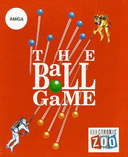
 |
Ball Game The » Amiga |
Select Play Mode |
Keywords: Strategy
Rating: Not rated yet
No Scores
Back to the Arcade |
arcadeOX Full Mode » recommended! (fastest and most features)
arcadeOX Score Mode » Not supported in this game.
Java Full Mode » Not supported in this game.
Java Lite Mode » Not supported in this game.
 (click an option above to start the game) (click an option above to start the game) |
| The Object of Ball Game The |
Earn the most points in a given round by the time all players have teleported off the board.
Left click on the opening screen, then again on the title screen.
Select game options using the appropriate buttons,
then press F9 to start game.
Different color tiles have different values:
Plain - 1
Green - 2
Cream - 3
Around the edges of the game board are displays showing (on the right) remaining teleports, and (on the left) the score, time, and other game info.
Choose to control one of four elements: Earth, Fire, Air, or Water.
There are three basic moves you can make:
Walking - select square adjacent to your character and it will move there, and will also create a sphere of your color on the space you just left.
This is the only way to create new spheres.
Jumping - select square two spaces away and your character will jump to it, causing any balls surrounding it to turn your color.
You can also jump gaps, other Elementals, and their spheres in this manner.
Teleport = selecting the square your character is on teleports them to a random location on the board.
You will only reappear if you have a free space to land with no other Elementals near it.
Note:
If there are no free spaces left on the board, and you teleport, you will be out of the level. |
| The Keys |
Left click = decision
Right click/Space = cycle available moves
Enter = decision
F2 = toggle number of opponents
F3 = toggle which element you control
F5 = toggle difficulty
F6 = toggle timer on/off
F7 = toggle sound FX
F8 = demo
F9 = start game
F10 = toggle language |
All times are GMT -5. The time now is 11:49 PM.


